What's in a ready-made pack?
Here's everything inside a real pack, so you know exactly what you're paying for. The example is the missed-call text-back pack for trades (US$19). Every pack follows the same layout.
1. The folder you download
You get one zip file. Double-click it to unzip it, and you'll see this:
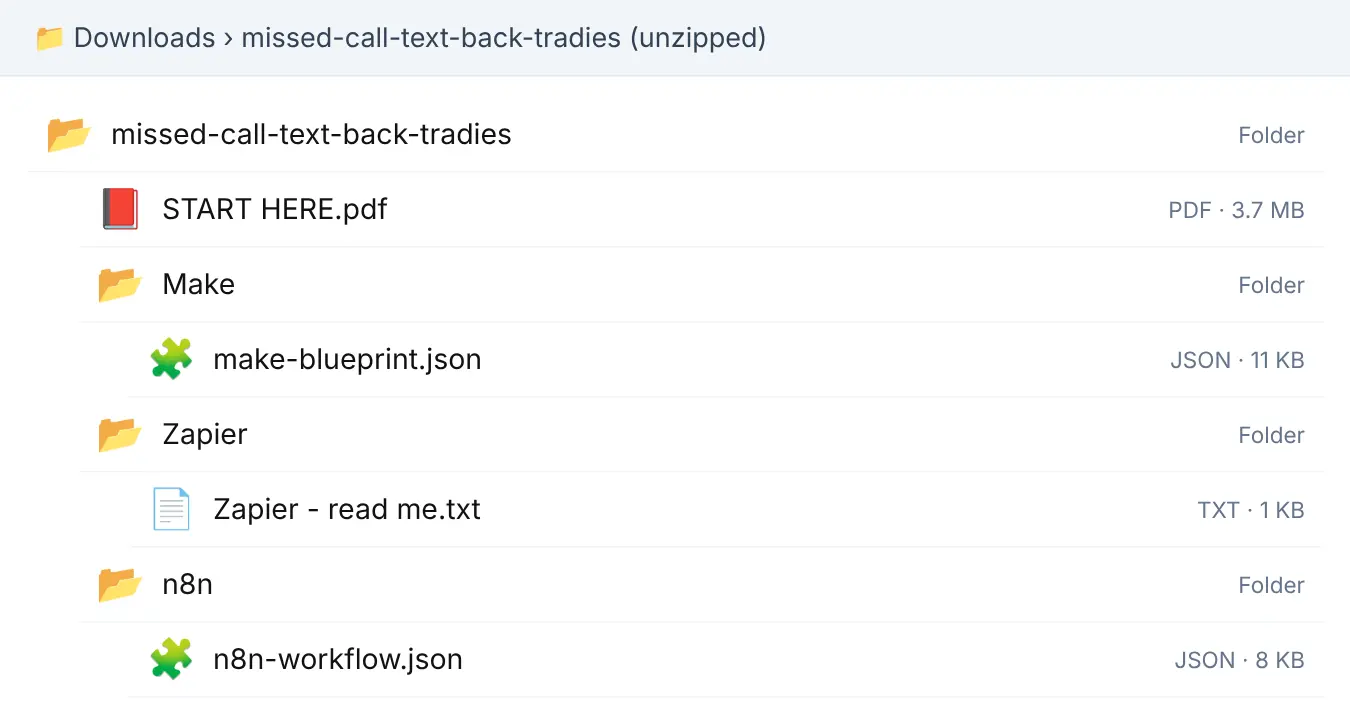
- START HERE.pdf: the step-by-step setup guide (11 pages).
- Make: the setup file ("blueprint") you import into Make.
- n8n: the same automation as an n8n workflow you import.
- Zapier: Zapier can't import files, so START HERE has the Zapier steps.
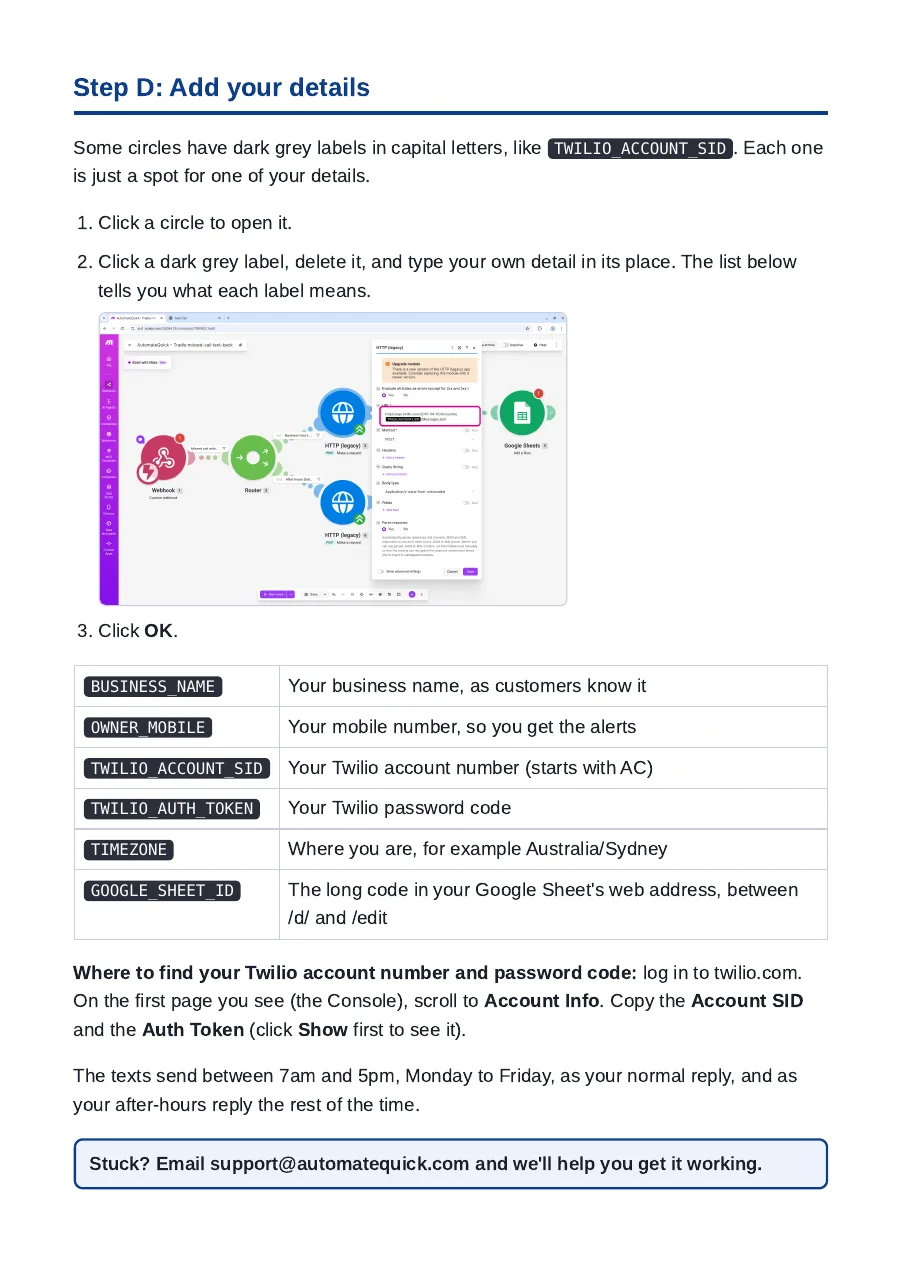
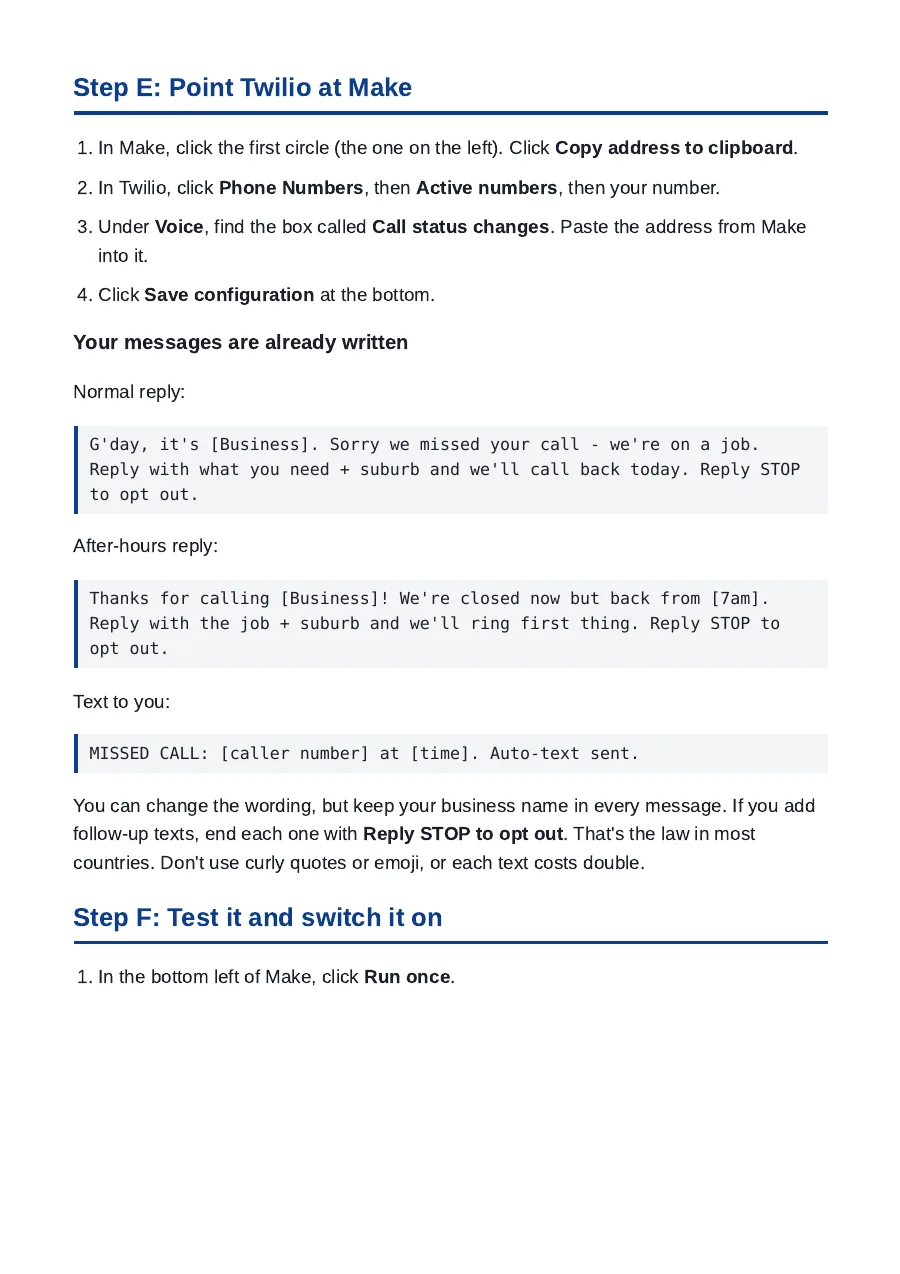
2. The START HERE PDF
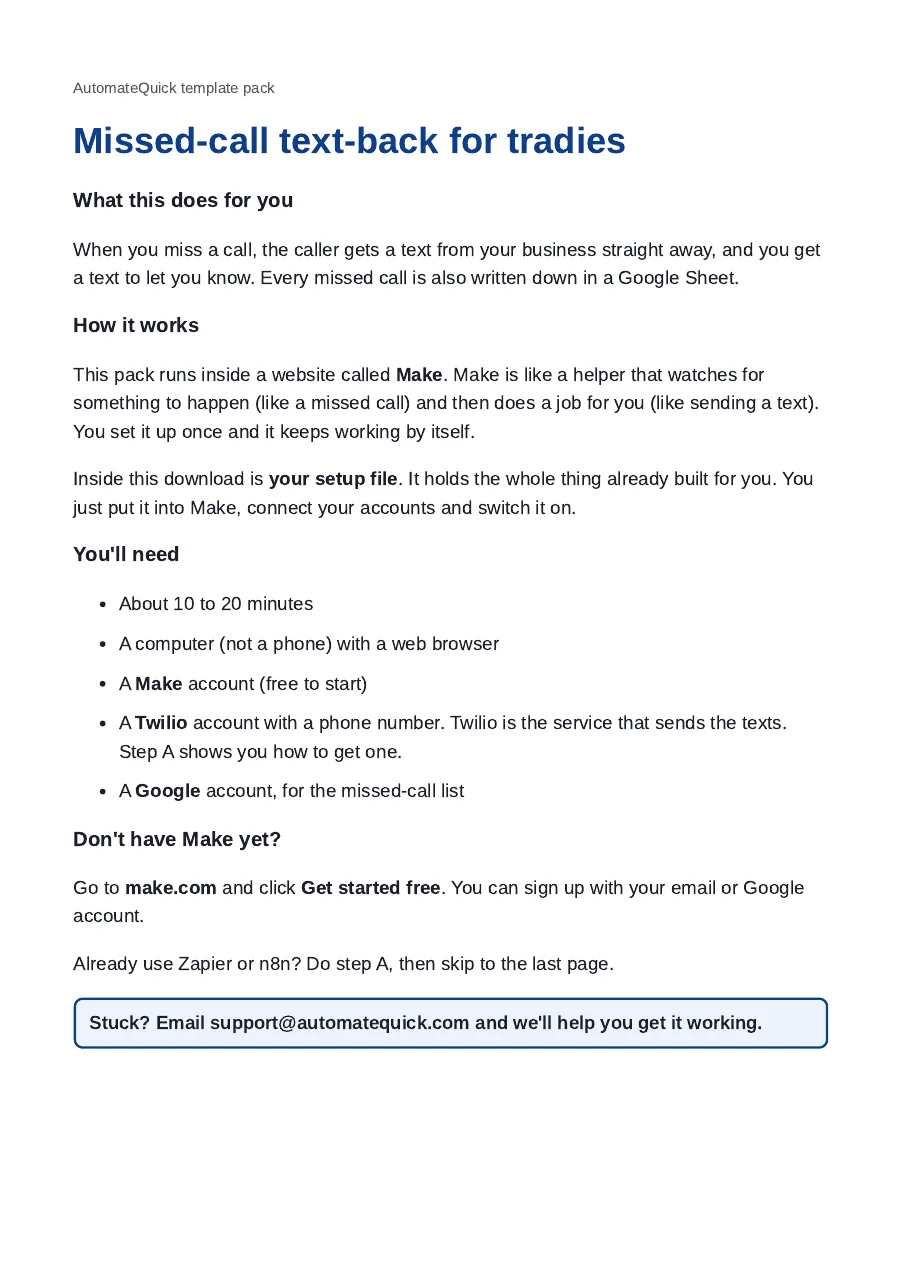
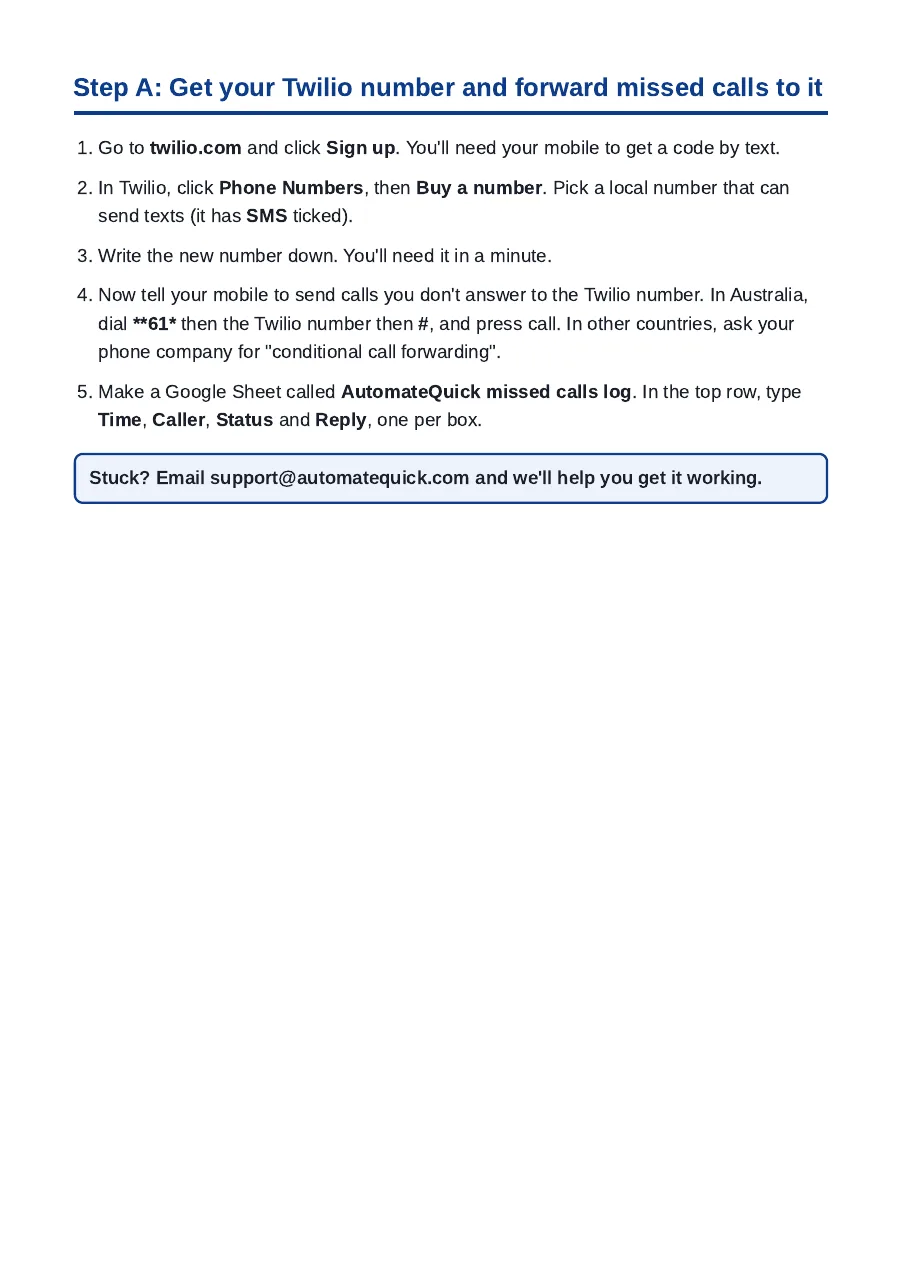
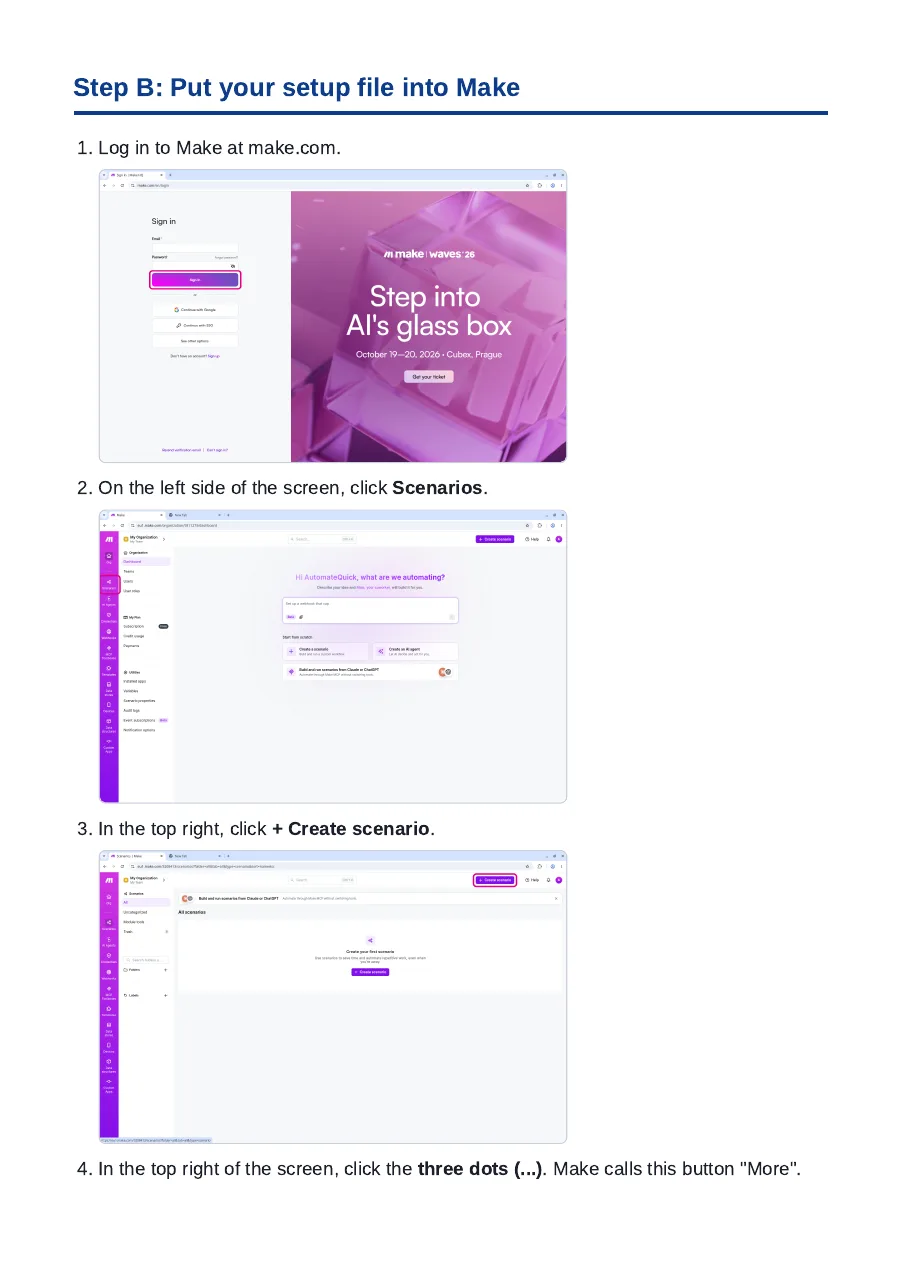
Plain English, with screenshots, written for owners who've never used an automation tool. Here are 5 of its 11 pages:
3. The Make, n8n and Zapier files
Make (make-blueprint.json)
Import it and the whole automation appears, already built. You just connect your accounts:
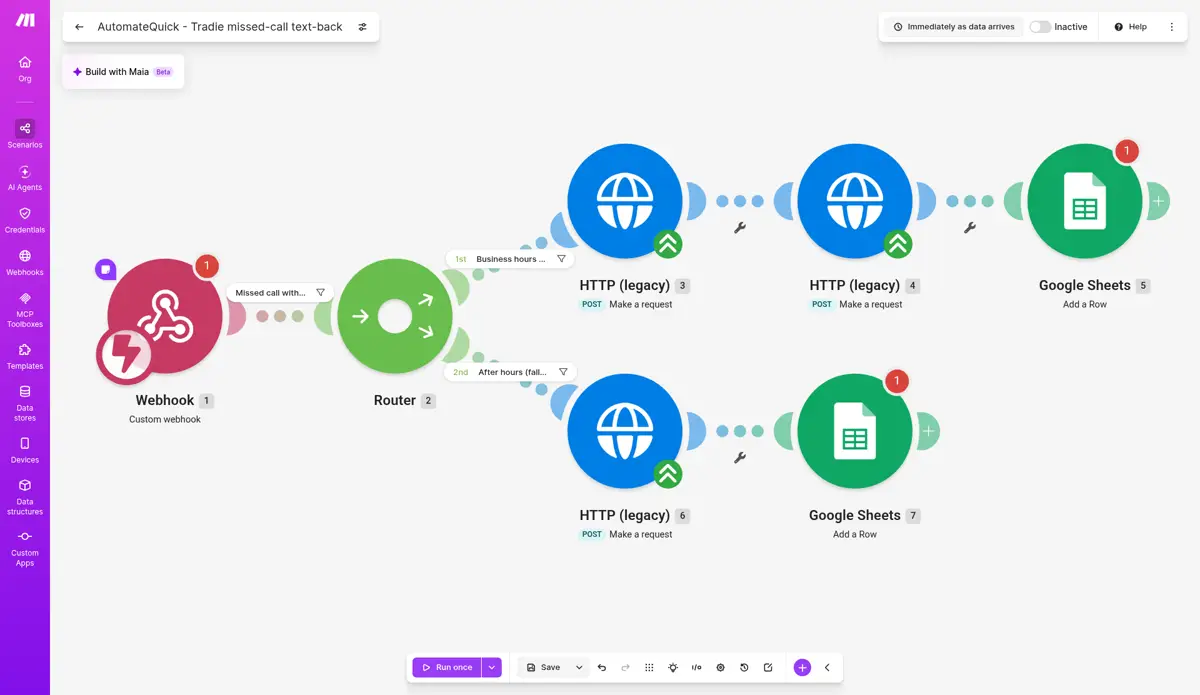
- Webhook: Twilio tells Make about each missed call.
- Router: checks it's a real missed call with a caller ID, then picks the business-hours or after-hours path.
- Text the caller: the right message for the time of day (7am to 5pm, Monday to Friday, by default).
- Alert you: during business hours, a text to your mobile with the caller's number.
- Log it: a new row in your Google Sheet, so you can work through callbacks.
n8n (n8n-workflow.json)
The same automation for n8n. Every step has a plain name, and the details you change are in one "Settings" step:
1  Twilio missed call webhook
2  Settings (edit me)         businessName = "YOUR BUSINESS NAME"
                              ownerMobile  = "+61400000000"   ← your mobile
3  Missed call with caller ID?
4  Business hours?            Mon–Fri, 7am–5pm
5  SMS: busy on site          ┐
6  SMS: after hours           ├ Twilio (connect your account on import)
7  Alert me                   ┘
8  Log to Google Sheets       (connect your Google account on import)
An excerpt showing the step names. The real file has no accounts or keys in it. You connect your own when you import it.
Zapier
Zapier can't import setup files, so the last page of START HERE walks you through building it in about 15 minutes, step by step, with the filter settings and messages ready to paste.
4. Messages already written
These are in the pack, ready to use. Swap in your business name and you're set:
Normal hours
G'day, it's [Business]. Sorry we missed your call - we're on a job. Reply with what you need + suburb and we'll call back today. Reply STOP to opt out.
After hours
Thanks for calling [Business]! We're closed now but back from [7am]. Reply with the job + suburb and we'll ring first thing. Reply STOP to opt out.
Alert to you
MISSED CALL: [caller number] at [time]. Auto-text sent.
START HERE also covers the rules: keep your business name in every text, and keep "Reply STOP to opt out" on every text.
5. How to use it
- Buy the pack and download it (the link is also emailed to you).
- Unzip it and open START HERE.
- Import the setup file into Make (or n8n).
- Connect your accounts and add your details.
- Make a test call, then switch it on.
Prefer to watch? The 2-minute video at the top shows every step.
Common questions
What file do I get?
A zip file. Unzip it to get a START HERE PDF and a folder each for Make, n8n and Zapier.
Do I need tech skills?
No. START HERE explains every click in plain English, with screenshots. Most setups take about 10 to 20 minutes.
What else do I need?
Your own Make, n8n or Zapier account, plus the tools the pack connects to, such as Twilio for texts (usage fees apply) and a Google account.